

Touch Screen for Education
This is a touch screen designed specifically for teaching and learning. The screen is extremely large so that students can see it clearly. It can be placed at the front of the classroom for teachers to teach multimedia. The main area of operation is concentrated at the bottom, ensuring that both teachers and students can operate it. Videos can be played, presentations can be given, widgets can be customized and notes and drawings can be made directly on the screen.
Team members
BenQ Lifestyle Design Center UX Team
Project
BenQ Inc.
Device
Android, Touch Screen
Team
Working as a UI Designer in this project
Project Manager
UX Researcher
UI Planner
UI Designer
-
Design wireframes and user interface
-
Graphic Design
-
Remain Design system
Software R&D
Hardware R&D
Goal
Designing touch interfaces for interactive screens for smart education
Designing a large interactive screen for teachers to use in the classroom during lessons
Background
After the User Experience (UX) team visited international schools and interviewed teachers and students, we identified the following needs.
Easy to write
Teachers have a habit of writing their lessons by hand and using digital content (such as videos or presentations) to interact with students in class.
Remote control
Teachers sometimes walk to the back of the classroom to interact with students during lessons, so they need to be able to remotely control content.
Touch-based interaction
Teachers or students can interact through digital content by touching the screen directly.

Participants
Teachers, Students
Concept Design
I took part in workshops run by the User Experience team, brainstorming solutions for the company. I also helped with the concept design. I used AfterEffect to create animations to simulate the interactive situation.
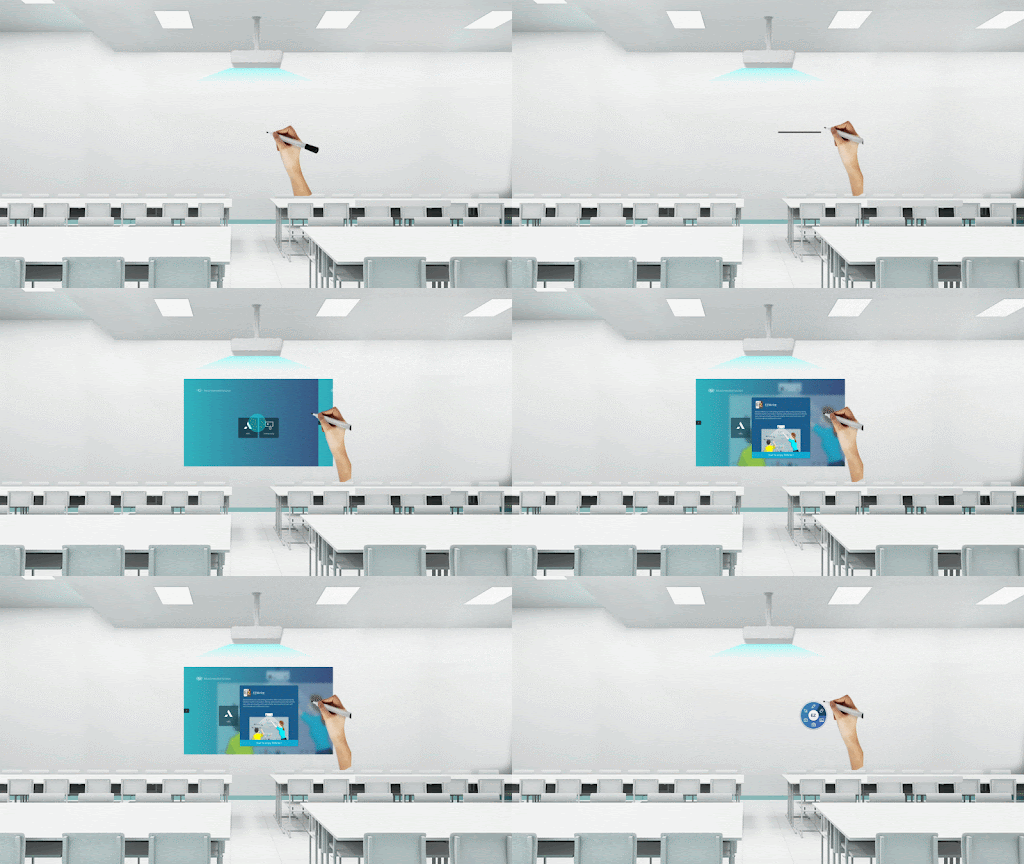
Touch Pen for Hand-Writing
The whiteboard pen can be used for physical writing, but can also be used as a stylus with the addition of a sensor, which can be used to manipulate the projected image. This allows teachers to write without having to change their writing habits.
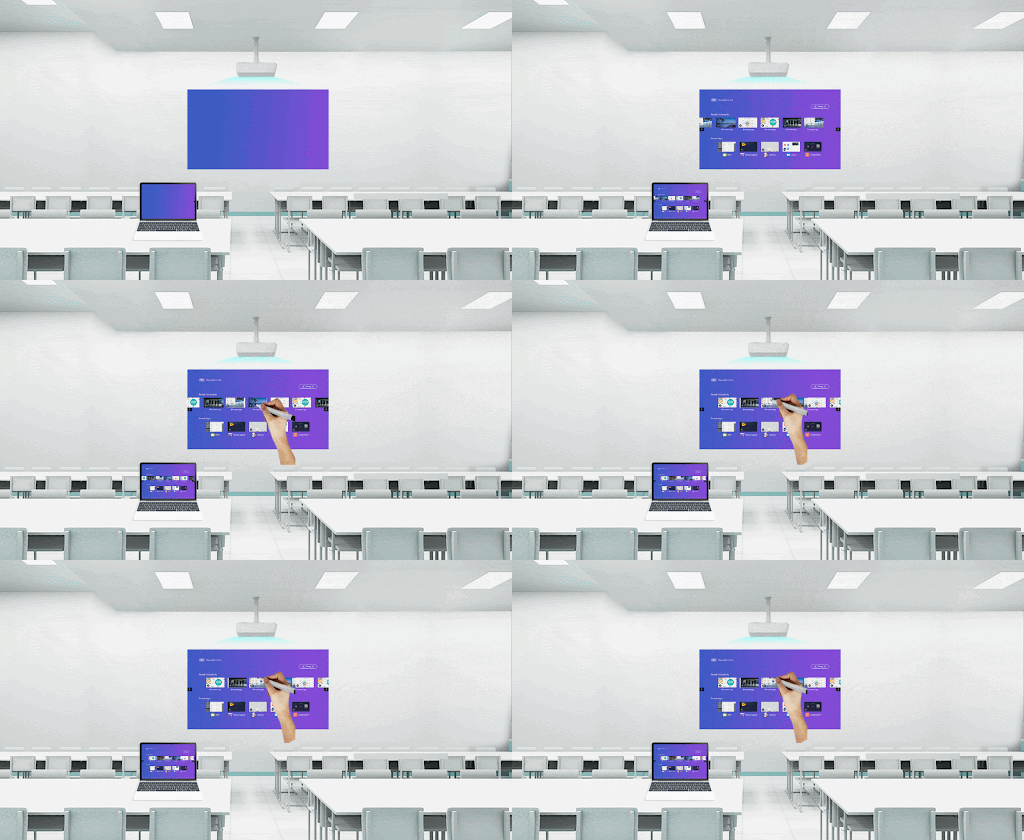
Interoperability between large and small screens
the laptops are connected to the company's network so that large and small screens can be synchronized and teachers can interact with each other in both directions.
Design Challenge
Redesigning the screen for human comfort
When we dropped the old User Interface screen onto the big screen, it was obvious that the average user would not be able to reach it. The old buttons are specifically designed for use with the remote control, which is designed for ease of viewing. The upper buttons are not accessible to the average user standing in front of the screen. I had to adapt the screen to the average height of the local population and place the buttons within the comfortable range of the screen.
Touch and remote display
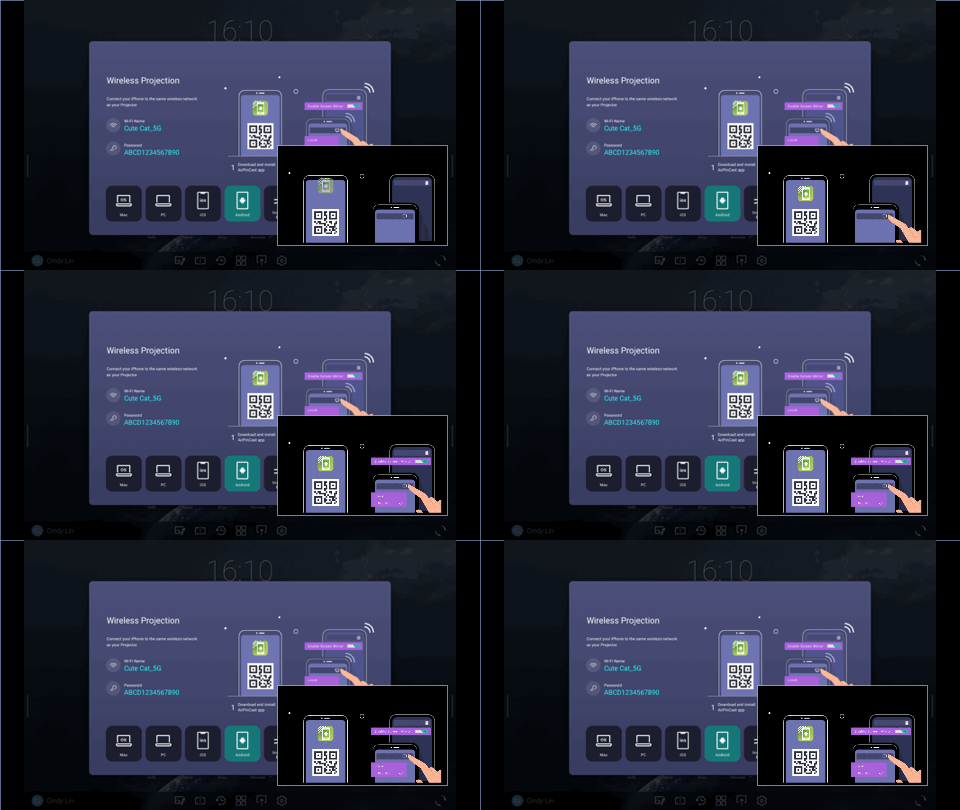
Because the screen can be operated by both touch and remote control. So as a User Interface designer, I had to design two User Interface effects to match the user's actions.
Maintaining brand consistency
Because the buttons and windows had to be scaled, I modified the dimensions of most of the components and communicated with the designers who maintain the brand design system to ensure visual consistency


Redesign
In my redesign
We used the average height of Chinese people to create a comfort zone for touch. I redesigned the layout to make sure the buttons were in the comfort zone. And design two effects: touch and remote control display effect.
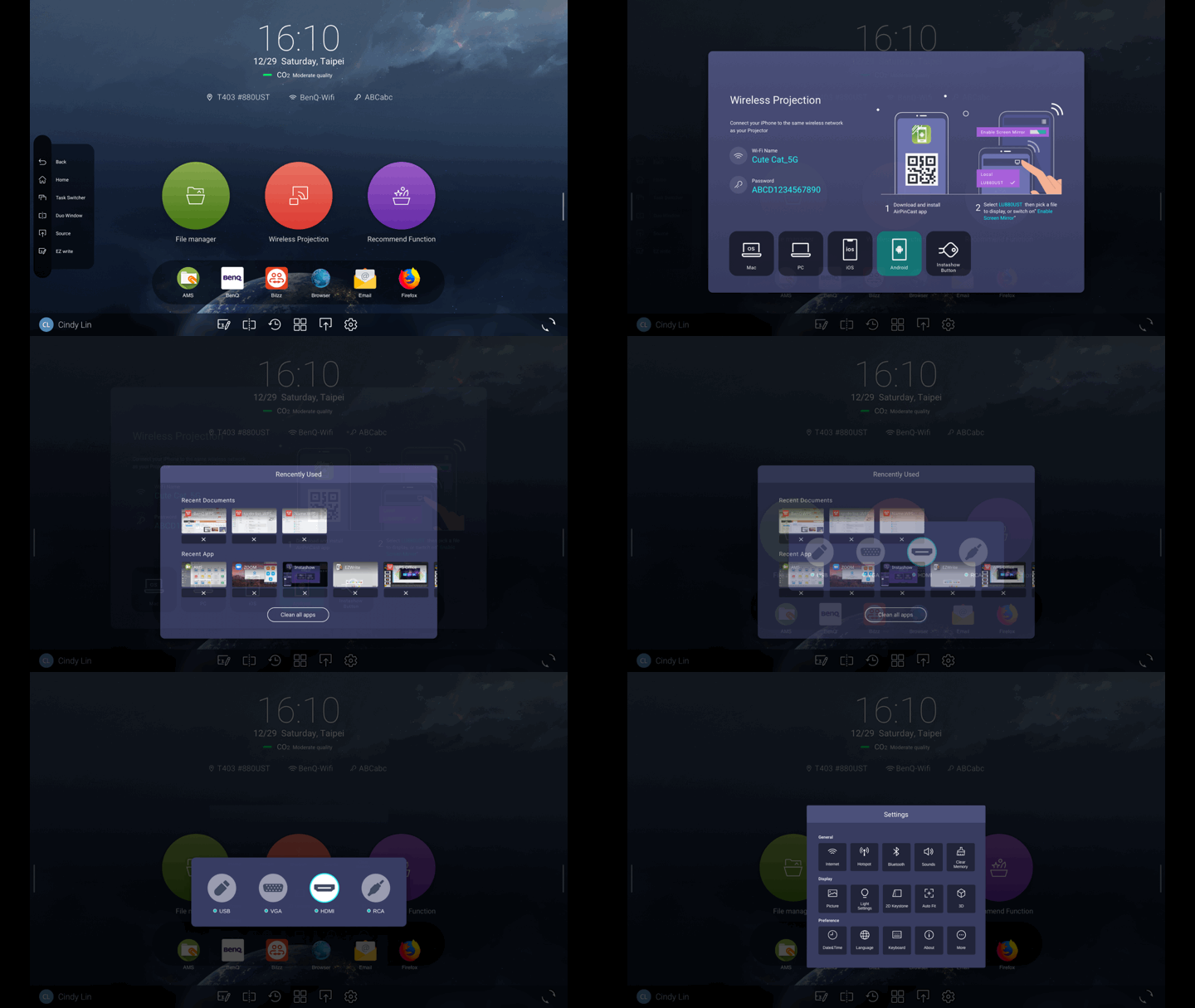


Impact
Improving the interactive experience of the touch screen
The user can more easily interact with the large screen and easily reach the digital content he needs.
What I Learned
Design for more interaction
I designed the large screen and the touch screen and remote control design this time. This gave me a better understanding of the differences. I also learned how to make more flexible designs.
Communication with the team across the sea
The design for this project involved the Shanghai team and the Taiwan team. As the teams were in different cities, I decided to use a high-quality visual prototype design to synchronize the visuals as soon as the teams saw them, in order to reduce communication costs and present the results.